
Tachiyomi never came with manga built in. Every title you read depended entirely on its extensions catalog and that catalog broke for millions of users when the official repository shut down in January 2024. If your Extensions tab is blank, a specific source stopped loading chapters, or you’re simply trying to work out which sources are worth adding, this guide covers it end to end: what a source actually is, how to add a repository that still works today, which sources hold up best (including English-only options), and why sources fail even after a correct setup.
What Are Sources in Tachiyomi?
A source in Tachiyomi is a small connector bundled inside an installed extension that links the app to one specific manga website so it can pull listings, search results, chapters, and page images. Tachiyomi itself hosts no content at all; it’s a reading shell, and sources are what make that shell functional.

A single extension is not always a single source. Some extensions bundle several regional or language variants of the same site as separate sources under one install. That’s why the Extensions screen and the Sources concept aren’t quite the same thing: installing an extension is the mechanical step, while a source is the actual content connection you end up browsing.
How Do You Add Sources to Tachiyomi?
Sources aren’t added one at a time from a menu you add an extension repository first, and every source inside that repository then becomes installable. As of 2026, the official tachiyomi.org repository no longer works, so the practical first step is pointing the app at a repository the community still maintains.
How Do You Add the Keiyoushi Extension Repository?
Keiyoushi is the community-run repository that stepped in after the shutdown and remains the most actively maintained option for both Tachiyomi and Mihon.
- Make sure you’re on Tachiyomi v0.15.2 or later (or any current Mihon build) — this is the version that added support for custom extension repos.
- Open Settings, then Browse, then Extension Repos.
- Tap the plus icon to add a new repository.
- Paste this URL exactly:
https://raw.githubusercontent.com/keiyoushi/extensions/repo/index.min.json
- Confirm, then return to the Extensions tab and refresh it. The catalog should populate with well over a hundred sources.
Removing any old, dead tachiyomi.org repo entries first is worth doing a stale entry left in the list won’t restore itself and just clutters the source of truth you’re about to add.
How Do You Install a Source After Adding a Repository?
Once the repository is added, installing a source is the same as installing any Android app package from within Tachiyomi:
- Open the Extensions tab and browse or search for the site you want.
- Tap Install next to the extension that contains it.
- Tap Trust when prompted unofficial repositories require this manual approval before the extension is allowed to run.
- If the source doesn’t appear in Browse afterward, open the extension’s settings and confirm it’s enabled.
What Are the Best Manga Sources for Tachiyomi?
Best here means consistent uptime, complete chapter runs, readable image quality, low ad interference, and active maintenance by whoever writes the extension code. Sources generally fall into three categories, and it’s worth knowing which one you’re adding:
- Aggregator-style sources sites that pull chapters from many scanlation groups into one catalog, which tends to mean broader coverage but more variable image quality.
- Scanlation-group-specific sources connected to a single group’s releases, usually more consistent quality but a narrower library.
- Official or licensed-partner sources platforms with legitimate distribution agreements for some or all of their catalog.
MangaDex is a commonly used example of an aggregator that also carries some officially licensed content, and it’s a good illustration of why source quality varies by title rather than being uniform across an entire site. Whichever category you add from, prioritize sources that are still receiving code updates in the Keiyoushi repository an extension with no recent commits is the one most likely to break next.
What Are the Best English Manga Sources for Tachiyomi?
English-language sources make up the largest share of the Keiyoushi catalog simply because the English-reading scanlation and licensing community is the largest and most active contributor base.
Within the Extensions tab, most builds let you filter by language set that filter to English to cut a catalog of well over a hundred sources down to the ones actually worth browsing for an English-speaking reader.
If a title has an official English license, checking whether that publisher’s own source (where one exists in the repository) is available is worth doing before defaulting to an unlicensed aggregator. it’s the more sustainable option for the series you actually want to keep being translated.
Why Is a Tachiyomi Source Not Working?
A source that suddenly stops loading almost always traces back to one of a handful of causes: the target website changed its layout or API and the extension code hasn’t caught up yet, the extension itself is out of date, the site is blocked or geo-restricted on your network, or the specific source was pulled from the repository entirely for legal reasons.
How Do You Fix a Source That Won’t Load Manga?
- Open the Extensions tab and check for a pending update on that specific extension — most break/fix cycles are resolved within days by the repository’s maintainers.
- Force-refresh the extension list rather than relying on a cached view.
- Rule out a network issue: try switching off a VPN or DNS blocker temporarily, since some sources fail identically to a real outage when a resolver is interfering.
- Check the Keiyoushi GitHub issue tracker for that source if others are reporting the same outage, it’s a known, in-progress fix rather than something on your end.
How Do You Fix a Source Marked Untrusted or Removed?
An “untrusted” warning after an update is expected behavior, not a bug Tachiyomi and Mihon require you to manually re-approve an extension’s Trust status every time its package signature changes. Tap Trust again and it should resume working.
A source that’s genuinely gone not just untrusted, but missing from the catalog — usually means it was removed following a legal takedown request to the repository maintainers. That’s a repository-level decision, not something fixable on the reader’s end, and reinstalling an old, delisted package outside the maintained repo is not recommended.
How Do Manga Sources Differ Between Tachiyomi and Mihon?
The original Tachiyomi app is frozen at version 0.15.3 and receives no further updates, which means it depends entirely on the extension API staying compatible with that old build. Mihon, by contrast, is under active development, and its maintainers along with the Keiyoushi contributors prioritize keeping sources working against the current fork first.
In practice this means the same Keiyoushi repository generally works on both, but when a source needs code changes to keep functioning, Mihon compatibility tends to land first, with the frozen original app catching breakage more often over time as sites evolve. This is one of the clearest practical reasons readers migrate from the original app to Mihon rather than staying on the last Tachiyomi release.
Are Unofficial Manga Sources Safe to Use?
The Keiyoushi repository itself is open-source and publicly auditable on GitHub, which is a meaningfully different risk profile from a random closed APK. The bigger safety variable is the destination website each source connects to, not the extension code that connects you to it — some manga sites run heavier ad networks or redirect scripts than others.
- Only add repository URLs from sources you can verify copy the URL directly rather than trusting a link from an unfamiliar forum post, to avoid an impersonation repo.
- Keep a DNS-level or in-browser ad blocker active if you’re routed to a site’s own web view for any reason.
- Treat legality as source-dependent and region-dependent official/licensed sources are the safer default when a title is legitimately available through one.
Conclusion
Getting sources working in Tachiyomi in 2026 comes down to one decision that matters more than any other: pointing the app at a repository that’s still maintained, since the original one never will be again. From there, most day-to-day problems a blank catalog, an untrusted warning, a source that stopped loading trace back to the same handful of fixable causes covered above.
If you haven’t set up the app yet, start with the How to Install Tachiyomi guide. If you’re deciding whether to stay on the original app or move to its actively developed successor, the Mihon guide and the Troubleshooting page cover that next step.
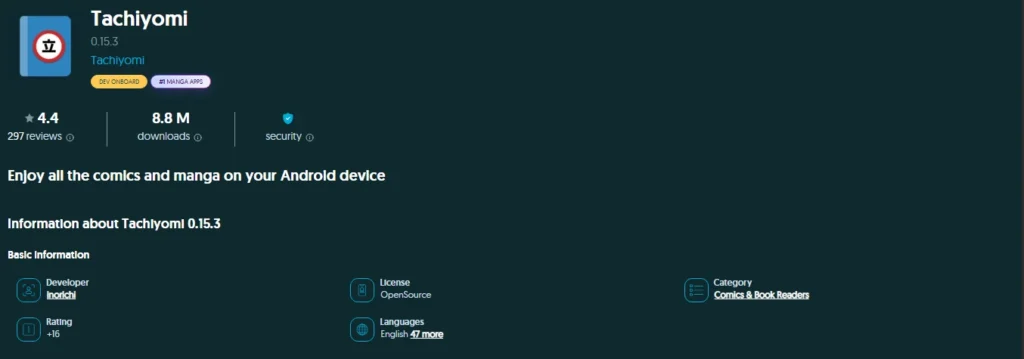
Tachiyomi Latest Version 2026 (0.15.3)
Tachiyomi 0.15.3 is one of the final versions associated with the original Tachiyomi manga reader. Since the original project was discontinued, version 0.15.3 is not a newly released 2026 version. Users looking for Tachiyomi today should understand that development has moved toward community forks and successor apps. Always verify the source before downloading any APK or unofficial release.
Tachiyomi Sources: Frequently Asked Questions
Does Tachiyomi come with manga sources built in?
No. Tachiyomi ships empty; every source comes from an extension repository you add yourself, which is why a fresh install shows a blank Extensions tab until a repo is configured.
Is the Keiyoushi repository official?
No — there is no more “official” Tachiyomi repository since the original project shut its down. Keiyoushi is a community-maintained replacement that has become the de-facto standard because of its active maintenance and broad source coverage.
Can I add more than one extension repository at the same time?
Yes. Both Tachiyomi and Mihon support adding multiple repository URLs under Settings > Browse > Extension Repos, and sources from all added repos appear together in the Extensions tab.
Why did all my sources disappear after an app or system update?
The most common causes are a repository URL that stopped resolving, an Android system update that reset app permissions, or an extension that needs re-trusting after its package signature changed.
Do I need to re-add sources after switching to Mihon?
If you’re installing Mihon fresh rather than migrating in-app, yes you’ll need to add the extension repository URL again, since repo settings aren’t automatically shared between separate app installs.
Can I request that a new source be added?
Yes. Source requests and bug reports for the Keiyoushi catalog are filed as GitHub issues on the keiyoushi/extensions-source repository, though fixes depend on volunteer maintainers and aren’t guaranteed.
Is MangaDex available as a source?
Yes, MangaDex is one of the sources commonly available through the Keiyoushi repository, alongside sites covering many other languages and genres.