
Tachiyomi Extensions
What Are Tachiyomi Extensions?

A Tachiyomi extension is a small Android package (.apk) that teaches the reader app how to talk to one specific manga, manhwa, or comic website. The core app only handles your library, reading progress, and display settings — it does not include any content on its own.
- Each extension represents exactly one source (for example, a manga aggregator or a specific webtoon platform).
- Extensions install and uninstall like standalone Android apps, separate from the main Tachiyomi app.
- They are never bundled inside the app itself — they are pulled from an external extension repository that you add manually.
Why the Tachiyomi Extension Repository Changed in 2024
In January 2024, South Korean publisher Kakao Entertainment sent Tachiyomi’s developers a cease-and-desist letter demanding that the project and its forks be taken down over copyright concerns tied to how extensions accessed licensed content. Rather than contest the notice, the core team removed the built-in extension catalog and announced that active development of the original app would stop.
Because Tachiyomi was Apache-2.0 licensed open-source software, the community immediately forked the codebase. The most direct continuation, Mihon, launched within days and describes itself as picking up where Tachiyomi left off. Several other forks — TachiyomiSY, TachiyomiJ2K (now continued as Yokai), TachiyomiAZ, and Komikku — also remain active.
On the extension side, a separate volunteer group called Keiyoushi rebuilt the catalog from scratch as an independent, community-run project hosted at github.com/keiyoushi/extensions. Keiyoushi is now the default extension repository that most current Tachiyomi forks point to.
What this means for you: any old repo URL tied to the original tachiyomi.org extension list no longer works. If your app shows an empty Browse tab, you almost certainly just need to add the Keiyoushi Tachiyomi extension repo — see the step-by-step in the next section.
- The full technical background lives in our companion explainer — Tachiyomi Extension Repository — if you want the deeper history.
How to Install Tachiyomi Extensions
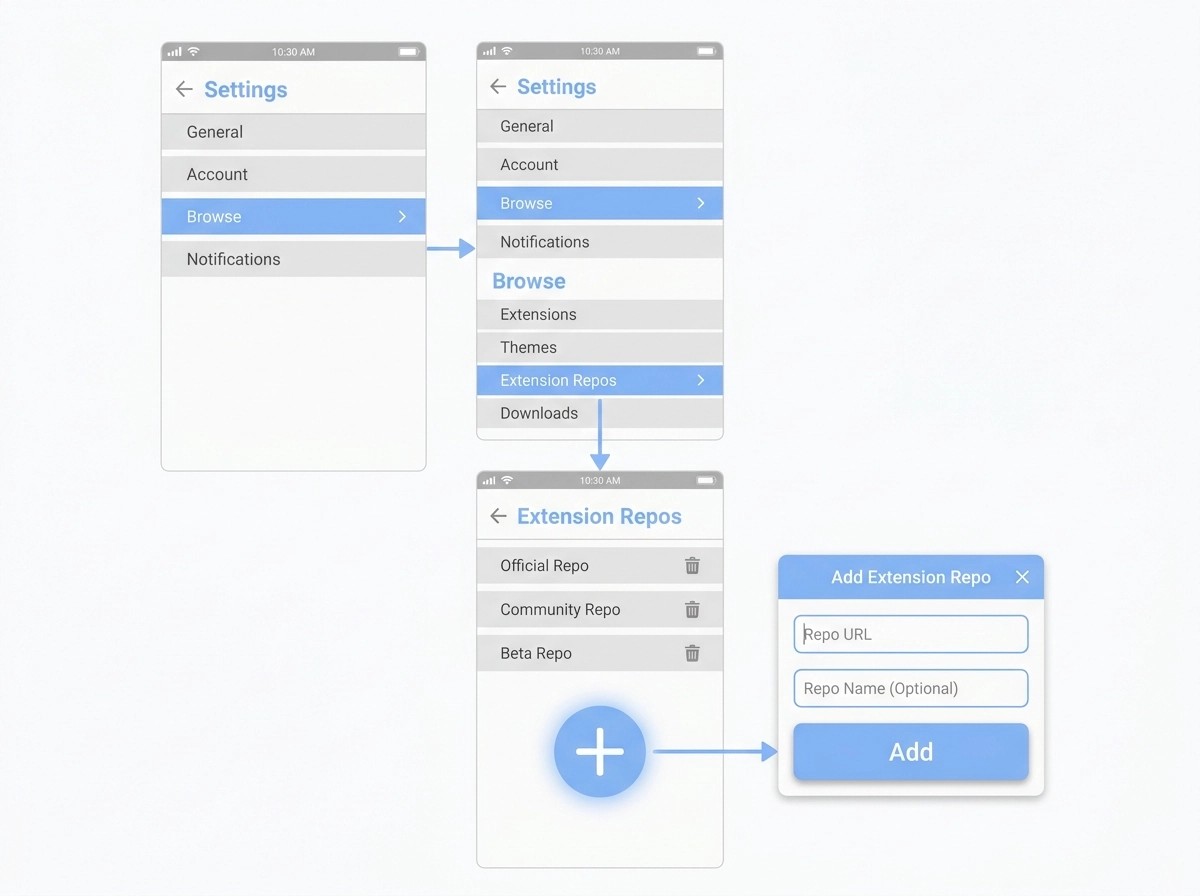
You install Tachiyomi extensions by first adding an extension repository, then browsing that repository’s catalog inside the app and tapping Install on each source you want — the same way you’d install a normal Android app. For the full walkthrough with screenshots for every fork, see our dedicated guide: How to Install Tachiyomi Extensions.
Step 1 — Add the Extension Repository
Menu names differ slightly by fork, but the process is the same everywhere. Use these steps to add extension repository access:
- Open the app and go to More → Settings → Browse (in TachiyomiSY and TachiyomiAZ, the path is the same, but the option is labeled “Edit repos” instead of “Extension repos”).
- Tap Extension repos, then the Add button at the bottom of the screen.
- Paste the Keiyoushi repository URL shown below. TachiyomiSY and TachiyomiAZ also accept the short form keiyoushi/extensions.
https://raw.githubusercontent.com/keiyoushi/extensions/repo/index.min.json
- Confirm the addition, then fully close and reopen the app so the extension catalog refreshes.
Step 2 — Browse and Install a Source
- Go to Browse → Extensions.
- Scroll the list or use the search bar to find the source you want (for example, MangaDex).
- Tap Install. The first time, Android will ask permission to install apps from this source — approve it.
- Once installed, the source appears under Browse → Sources, ready to search and add titles to your library.
Manual Extension Installation (When the Repo Won’t Load)
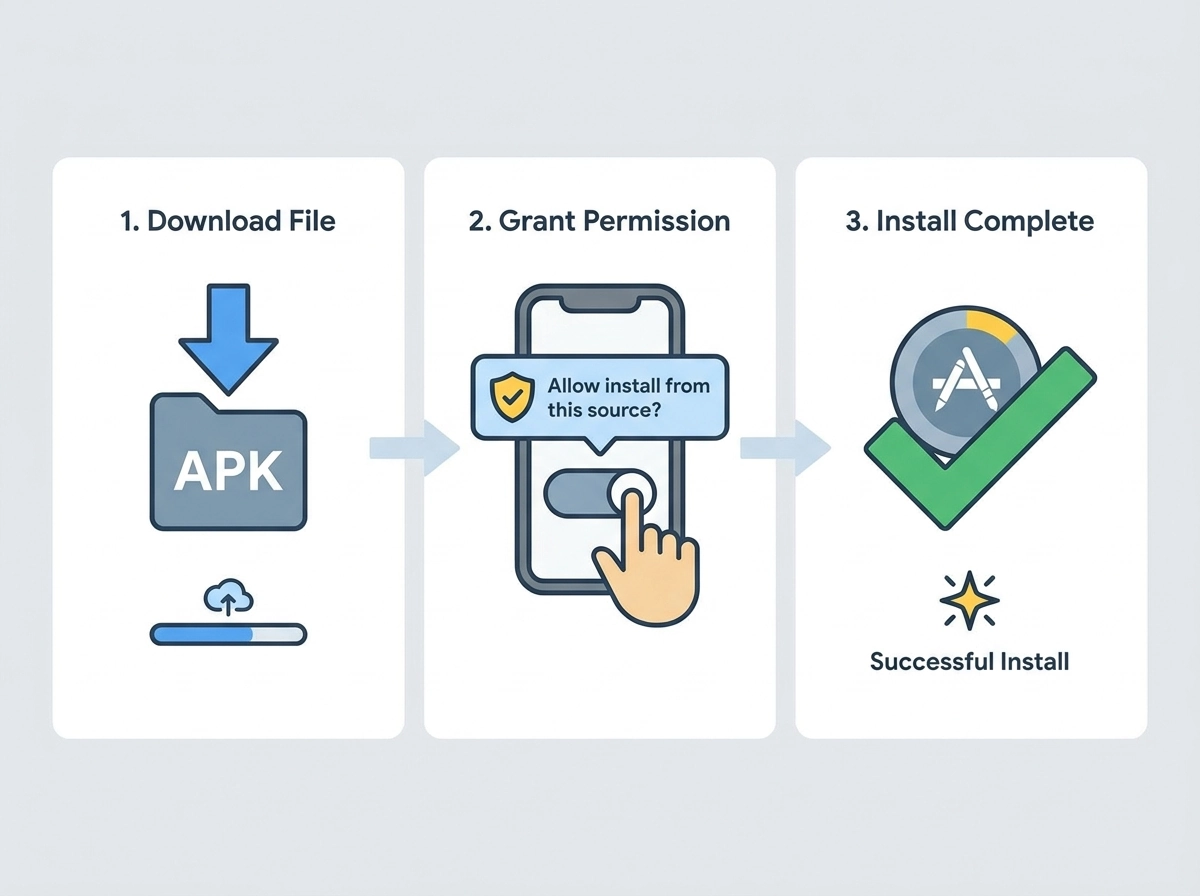
If a repository fails to sync, or one specific extension refuses to install through the app, you can fall back to manual extension installation by downloading the .apk file directly and sideloading it.
- Open the extension repository’s GitHub page (for example, github.com/keiyoushi/extensions) in a mobile browser and locate the specific extension’s .apk in its releases or index listing.
- Download Techiyomi the file to your device.
- Open the downloaded .apk. Android will flag it as coming from an unknown source the first time — go to Settings → Allow from this source, then continue the install.
- Back inside the app, the extension may briefly show up under Browse → Extensions marked “Untrusted.” Tap it and choose Trust to move it into your active sources list.
Only sideload .apk files from the official repository page you already trust. This is the same mechanism the in-app installer uses internally, so it isn’t inherently risky — but a copied link from an unrelated forum or video description is a common way people end up with a mislabeled or abandoned mirror instead of the real extension.
Best Tachiyomi Extensions to Start With

Rather than installing dozens of sources at once, start with a small, actively maintained set: one or two general aggregators, plus dedicated extensions for any specific manhwa or webtoon platforms you already read. For a longer, regularly refreshed shortlist, see: Best Tachiyomi Extensions.
- General aggregator sources — broad manga catalogs (MangaDex is the most widely used example) that update metadata frequently and are less likely to disappear overnight.
- Webtoon / manhwa-focused sources — extensions built around continuous vertical-scroll platforms, useful if most of your reading is Korean webtoons rather than traditional manga.
- Official or licensed sources — where a publisher offers a legitimate extension, these tend to be the most stable long-term, even if the catalog is smaller.
Fewer, well-maintained extensions reduce duplicate chapters, broken updates, and cluttered search results. Before relying on a source for ongoing reading, it’s worth checking the repository’s issue tracker to see whether that specific extension is still being patched.
How to Update Tachiyomi Extensions
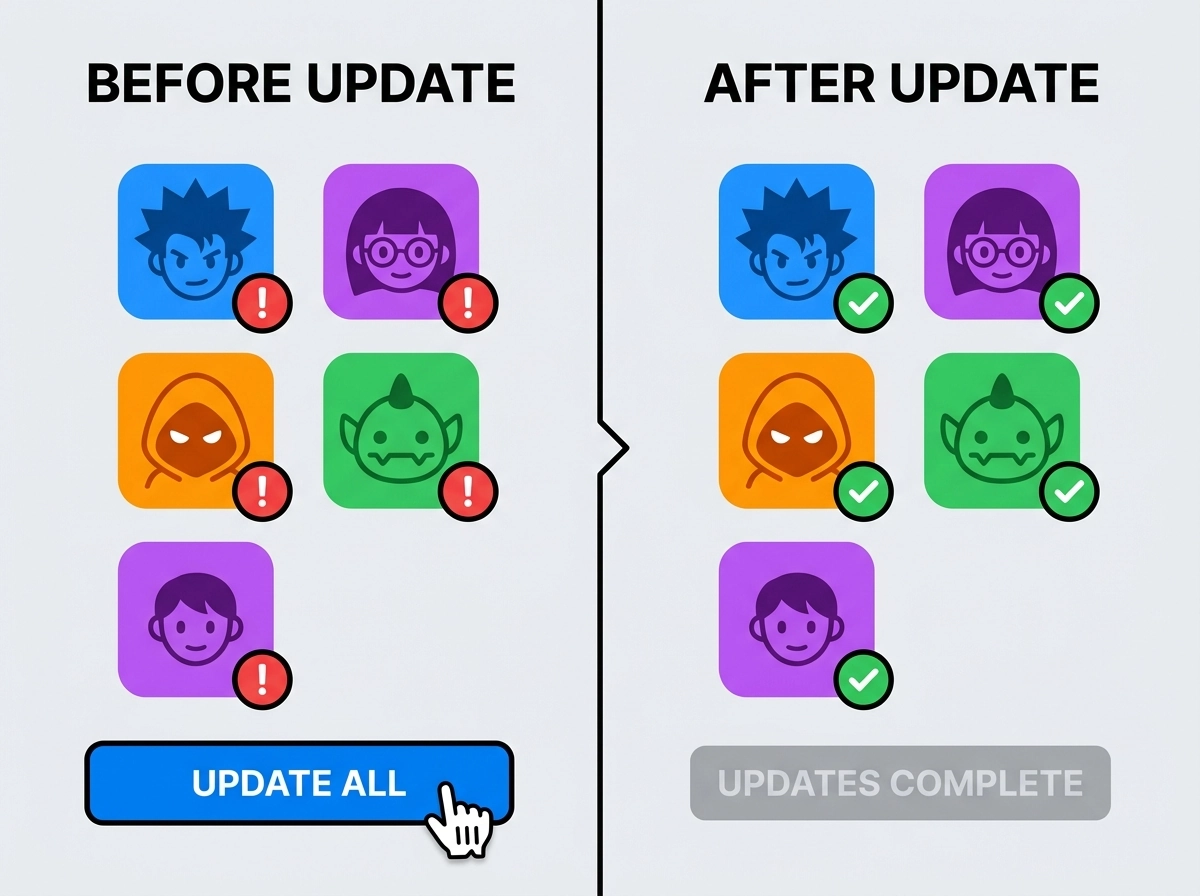
Tachiyomi periodically re-checks the repositories you’ve added and flags any extension with a newer version available, but you can force a check at any time.
- Automatic: the app re-syncs added repos in the background and shows an Update badge next to outdated extensions.
- Manual: go to Browse → Extensions, pull down to refresh, then tap Update on an individual extension, or Update All to update every outdated extension in one pass.
- If updates stop appearing entirely, remove the repository and re-add the URL from Step 1 above — a stale local cache is the most common cause.
How to Uninstall Extensions
You uninstall a Tachiyomi extension the same way you’d remove any Android app — from inside the reader itself.
- Go to Browse → Extensions.
- Find the installed extension in the list and tap it (or long-press, depending on the fork).
- Choose Uninstall from the menu that appears.
- Manga already saved in your library from that source stays in your library, but its chapters won’t update again until you reinstall the extension.
Choosing a Fork With Reliable Extension Support
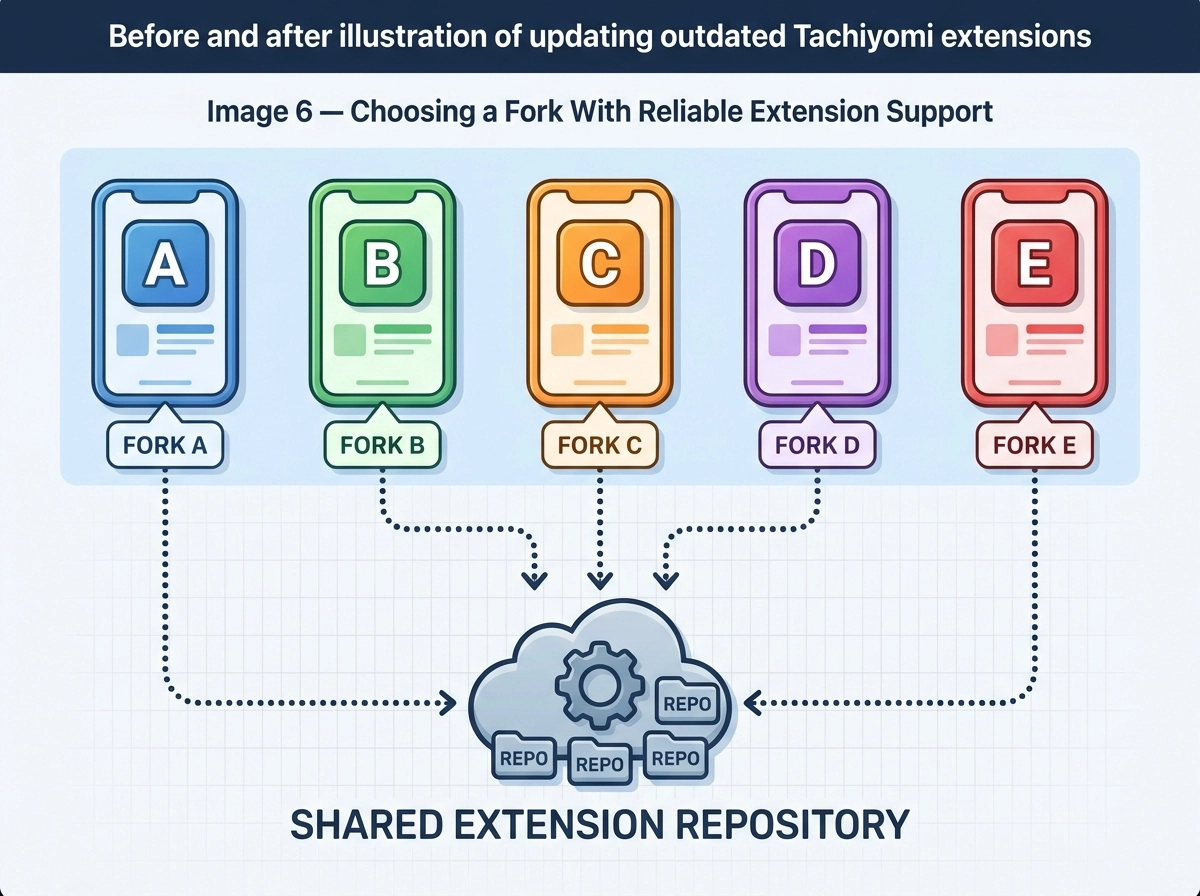
All current forks pull from the same Keiyoushi-based extension catalog and share the same .tachibk backup format, so switching between them carries very little risk to your existing library.
Fork | Best For | Extension Repo Used |
Mihon | New migrants who want the closest experience to the original Tachiyomi | Keiyoushi |
TachiyomiSY | Readers who want extra library-organization and webtoon-detection features | Keiyoushi |
Yokai (TachiyomiJ2K) | Users who preferred TachiyomiJ2K’s UI, now merged with Mihon-era features | Keiyoushi |
Komikku | Readers who want the most actively iterated feature set | Keiyoushi (+ extras) |
TachiyomiAZ | A lighter-weight, minimal-changes fork | Keiyoushi |
A secondary repository, Yuzono, mirrors Keiyoushi and automatically merges its updates roughly every six hours, adding a handful of extra sources aimed at Komikku’s built-in recommendation feature. Unless that specific feature matters to you, the primary Keiyoushi repository above is the only one most readers need.
Troubleshooting Common Extension Problems
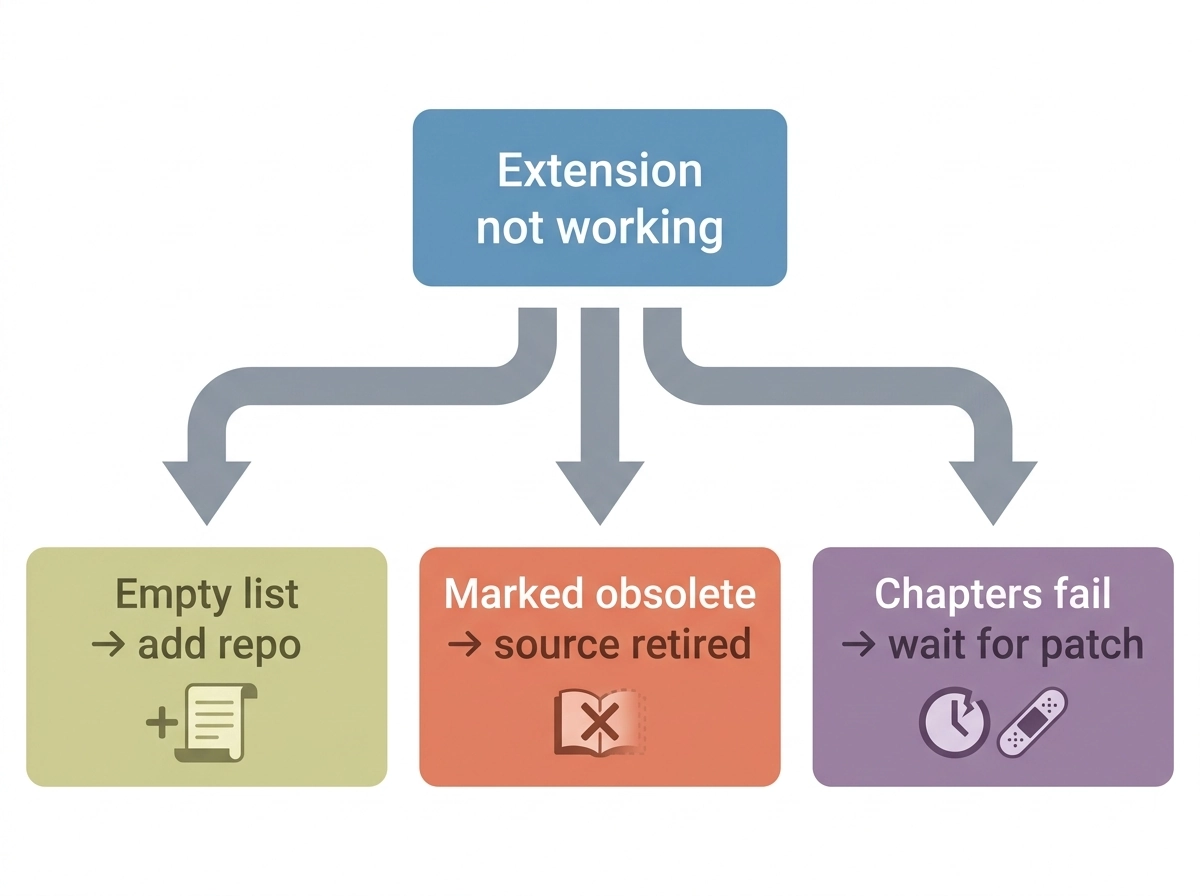
- Browse → Extensions tab is completely empty after a fresh install — expected behavior; you haven’t added a repository yet. Follow the Add the Extension Repository steps above.
- An extension is marked “Obsolete” — the source website changed or was blocked and the extension was retired from the repo; there’s no fix beyond switching to an alternate source.
- Chapters stop loading for one source — the underlying website restructured its pages; wait for the repo’s next patch (Keiyoushi typically turns these around within a day or two) or check its GitHub issues for a status update.
- Duplicate entries in your library — usually caused by adding the same title through two different extensions or repos pointing at the same site; keep one repo per source to avoid this.
FAQ
Is Tachiyomi still getting extension updates?
The original Tachiyomi app itself is no longer in active development, but its extension ecosystem lives on through Keiyoushi and is used by active forks like Mihon, TachiyomiSY, and Komikku — so extension support effectively continues, just through a successor project rather than the original app.
What is Keiyoushi?
Keiyoushi is the volunteer-run, community-maintained extension repository that replaced Tachiyomi’s original built-in catalog after it was taken down in 2024. It’s hosted on GitHub and is the default repo most current forks recommend.
Can I use more than one extension repo at once?
Yes. You can add multiple repository URLs under Extension repos / Edit repos, and sources from each will appear together in Browse → Extensions. Adding overlapping repos for the same sources, though, is a common cause of duplicate library entries.
Do extensions work the same across Tachiyomi forks?
Largely yes. Because most forks pull from the same Keiyoushi catalog and share the .tachibk backup format, installing, updating, and uninstalling extensions follows nearly identical steps across Mihon, TachiyomiSY, Yokai, Komikku, and TachiyomiAZ, with only minor menu-wording differences.
Why did my Tachiyomi extensions disappear?
This almost always traces back to the January 2024 shutdown of the original extension catalog. If you’re on an old build of the original Tachiyomi app, its built-in sources were removed; migrating to a maintained fork and adding the Keiyoushi repository restores extension access.
Are Tachiyomi extensions safe to install?
Extensions from the official Keiyoushi repository are open-source and reviewed by the project’s maintainers before merging. As with any sideloaded Android software, only install .apk files from the repository’s official GitHub page rather than third-party mirrors of unknown origin.
Conclusion
The extension system is what actually powers Tachiyomi and its forks — the app itself is just the shell. Add the Keiyoushi repository, install a small set of maintained sources, and keep them updated from the Extensions tab, and the rest of the setup takes care of itself. For deeper dives on any part of this workflow, see our related guides on the Tachiyomi Extension Repository, Manual Extension Installation, and how to Update Tachiyomi Extensions.