
Ask anyone who used Tachiyomi on Android and then switched to an iPhone, and you’ll hear the same thing: there has never been an official Tachiyomi app for iOS, and there probably never will be. Into that gap stepped Tachimanga, an independent app built from scratch by a solo developer rather than ported from Tachiyomi’s own code, which has become the closest thing iPhone and iPad users have to the Tachiyomi experience. Here’s exactly what it is, how it relates to Tachiyomi, what it can do, and where it falls short of the original.
What Is Tachimanga, Exactly?
Tachimanga is a free iOS and iPadOS app, distributed through the official Apple App Store rather than sideloaded, with in-app purchases for additional features. It requires iOS 15 or later and is built and maintained by an independent developer rather than by anyone affiliated with the original Tachiyomi or current Mihon teams.

On the App Store, it’s listed under a developer name translated as Wu Jichao, operating under the banner “Tachimanga Team,” and it has consistently held a high rating from several thousand reviewers.
At its core, Tachi manga is a full-featured manga reader built around two main ways of getting content onto your device: importing your own files directly, and connecting to external sources through an extension system modeled closely on Tachiyomi’s own.
It positions itself less as a clone and more as a spiritual continuation of the reading experience Tachiyomi users lost when the original app disappeared from active development.
How Tachimanga Relates to Tachiyomi (and What’s Different)
The connection between the two apps is real but limited. Tachimanga is not compiled from Tachiyomi’s source code it’s a separate, independently written iOS app but it was deliberately designed to plug into the same extension ecosystem.
Specifically, it supports the Keiyoushi extension repository, the same community-maintained collection of source plug-ins that Tachiyomi, Mihon, and several other Android forks already rely on. In practice, that means a source you’re used to browsing on Android will very likely show up as an option inside Tachimanga too.
Where the two apps diverge is everything underneath that shared extension layer. Tachimanga uses its own backup file format, distinct from the .tachibk format Tachiyomi and Mihon use, so a backup exported from Android doesn’t import cleanly into Tachimanga and vice versa moving your library between the two platforms generally means rebuilding it rather than transferring a single file.
The two projects also have entirely separate maintainers, release schedules, and bug trackers, so a fix or feature that lands in Mihon has no direct bearing on when or whether Tachimanga gets the same thing.
Key Features of Tachimanga
Beyond the shared extension system, Tachimanga has built out a feature set aimed squarely at iOS users who want more than a bare-bones reader:
- Local file import for manga and comics in ZIP, CBZ, and EPUB formats
- Support for Komga, a self-hosted comic and manga server, for anyone running their own collection on a home server or NAS
- Online reading through installed extensions pointed at external sources, the same mechanism Tachiyomi and Mihon use
- iCloud-based sync, letting a library and reading progress follow you across your own Apple devices
- Deep reading customization: adjustable page spacing, background colors, page-turn animations, and a dedicated night mode
- Simplified-to-Traditional Chinese text conversion, a detail aimed at a specific but sizable user base
- Privacy controls including an app lock and the ability to hide or encrypt specific content from casual access
- Double-page detection, which can automatically identify and invert spread pages for a more natural reading layout on tablets
One limitation worth flagging up front: Tachimanga currently has no granular, built-in age-restriction or content-filtering system. If that matters for your household, it needs to be handled through iOS’s own device-level restrictions rather than anything inside the app.
Installing Tachimanga on iPhone or iPad
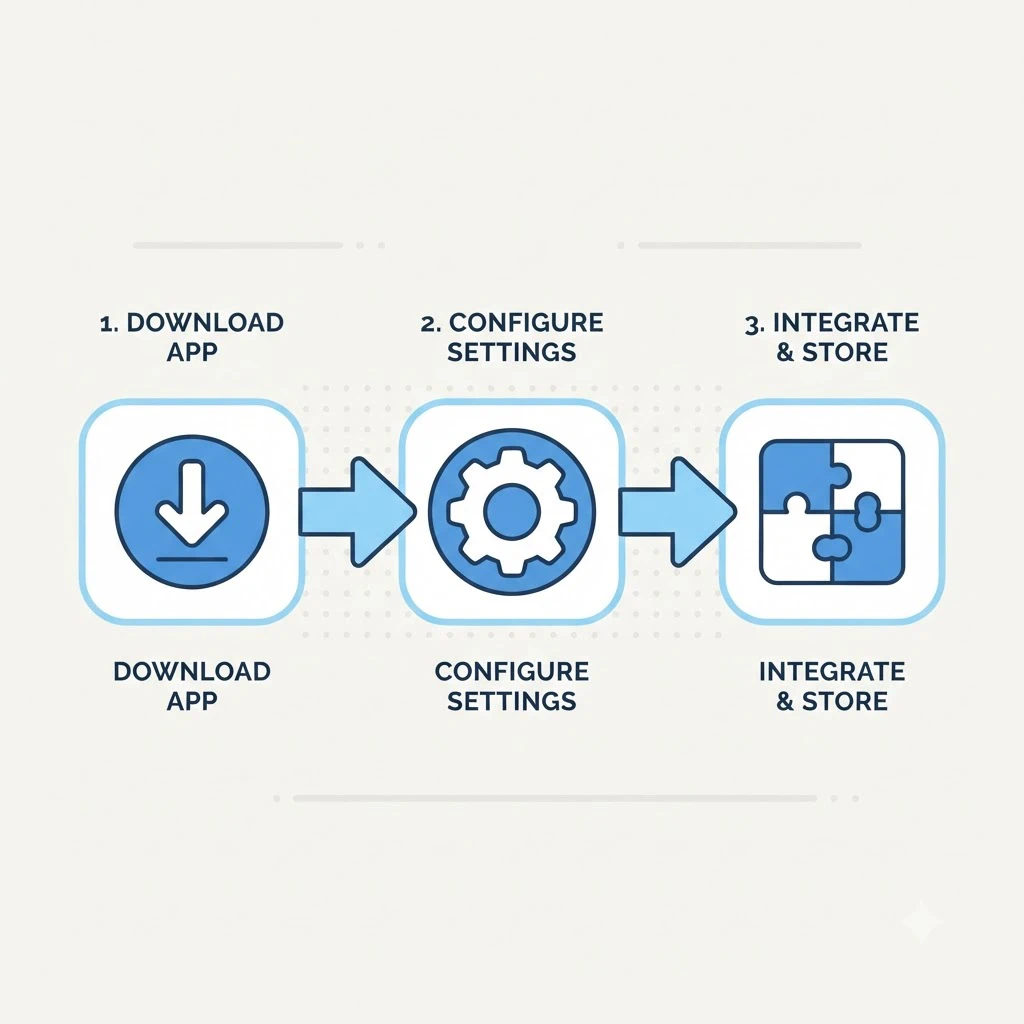
Unlike some Tachiyomi forks that require sideloading through TestFlight or a third-party installer, manga installs the normal way, directly from the App Store:
- Search for “Tachimanga” in the App Store and install it like any other free app.
- Open the app and go to Settings, then Extensions.
- Tap the repository icon (shown as a puzzle piece) and choose Add Repository.
- Paste in a repository URL the Keiyoushi repository is the one most existing Tachiyomi and Mihon users will already recognize.
- Return to the Browse tab to see the sources that repository just added, and search for a title to start reading.
Because the whole process installs through Apple’s normal distribution channel, there’s no need to trust an unofficial certificate or re-sign the app periodically, which is a recurring headache with some other sideloaded iOS manga readers.
Adding Extensions and Sources in Tachimanga
The extension-and-repository model works almost identically to how it does on Android: a repository is a list of available source plug-ins, and installing an extension from that list adds a specific site as something you can browse and read from inside the app.
Returning Tachiyomi or Mihon users will recognize this immediately, since it’s the same two-step pattern of add a repository, then install individual extensions from it.
The same caution that applies on Android applies here too. A repository is just a list somebody maintains, and the sources behind it are external websites Tachimanga has no control over.
Some extensions point at official or licensed aggregators, while others point at scanlation sites distributing copyrighted material without publisher permission a distinction that depends entirely on the specific source, not on anything the app itself decides for you. Treat repository and source selection with the same care you would on any other platform.
Why There’s No Official Tachiyomi App for iOS
Tachiyomi’s entire design is built around connecting to community-maintained extensions that point at external manga sources, most of which are not licensed, official catalogs. That model fits comfortably within Android’s more permissive sideloading culture, where installing an app outside the Play Store has always been straightforward.
Apple’s App Store review process works very differently: apps that exist primarily to browse and pull in content from arbitrary external sources face far more scrutiny, and an app whose core feature is a plug-in system for scraping manga sites would be a difficult fit for Apple’s guidelines.
The timing didn’t help either. The original Tachiyomi team had limited resources even for its main Android app, and after the project received a cease-and-desist letter from Kakao Entertainment in January 2024 and shut down entirely, any lingering hope of an official first-party iOS release disappeared along with the rest of active development. No officially sanctioned Tachiyomi port for iOS has existed before or since.
Reading From Your Own Files and Self-Hosted Servers
Not everyone wants to depend on external sources at all, and Tachimanga is one of the more capable iOS readers for people who’d rather manage their own files. Local CBZ, ZIP, and EPUB files can be imported directly onto the device and read offline from the moment they’re added, with no server or extension required.
For anyone running a personal media server, Tachimanga also connects to Komga, an open-source, self-hosted comic and manga server that many users run on a home NAS or small server.
Pointing Tachimanga at a Komga instance turns it into a front-end for a library you fully own and control, which sidesteps the legal and reliability questions that come with third-party extension sources entirely.
Backup, Sync, and Switching Devices
Tachimanga syncs through iCloud, so reading progress and library state generally follow you automatically across an iPhone and an iPad signed into the same Apple account, without any manual export step. That’s a meaningfully different experience from Tachiyomi and Mihon on Android, where backing up is a manual action the user has to remember to trigger.
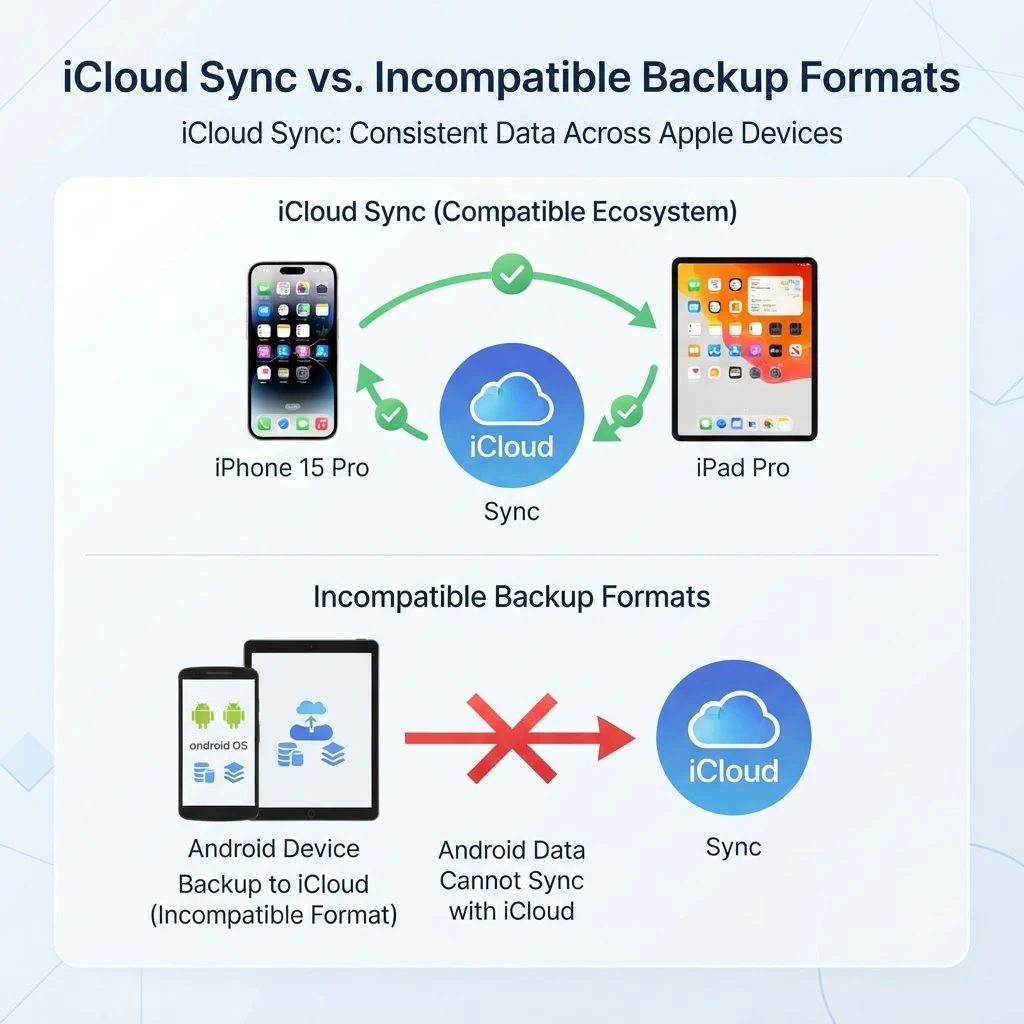
The trade-off shows up the moment you try to move between platforms. Tachimanga’s backup format isn’t interchangeable with Tachiyomi’s or Mihon’s .tachibk files, so a library built on Android doesn’t transfer into Tachimanga with a simple import, and the reverse is also true. If you’re switching from Android to iOS, or keeping both, plan on rebuilding your library inside Tachimanga rather than carrying over a single backup file.
Tachimanga vs. Other iOS Manga Readers
Tachimanga isn’t the only option for iOS users chasing a Tachiyomi-like experience, and it’s worth knowing roughly where it sits. Madomi is a newer cross-platform reader that, according to community comparisons, is built with backup compatibility in mind and has added on-the-fly translation for raw, untranslated scans a feature Tachimanga doesn’t offer.
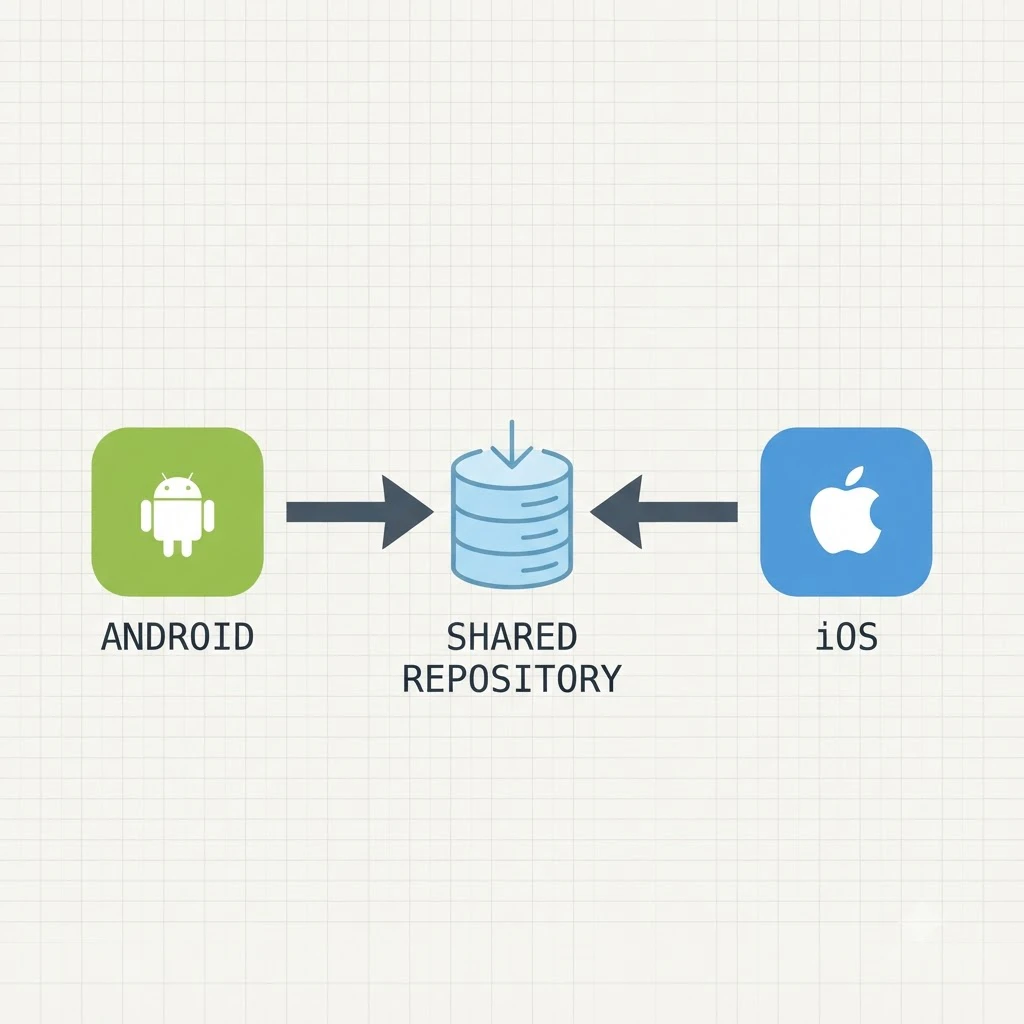
Mangayomi takes a different approach entirely: it’s an open-source, Flutter-based app that runs on Android, iOS, Windows, macOS, and Linux from a single codebase, and adds anime streaming alongside manga reading, though reports on whether it can import an existing Tachiyomi backup have been inconsistent across community discussions.
Weighed against both, Tachimanga’s strength is polish: a native-feeling iOS app, official App Store distribution, iCloud sync, and a reading experience clearly built for Apple’s platform conventions rather than adapted from somewhere else.
Its trade-off is narrower scope — iOS and iPadOS only, with no Android, desktop, or browser version from the same developer, and no path to directly import a library built on Tachiyomi or Mihon.
Limitations and Things to Know Before You Install
A few points are worth knowing before you commit to Tachimanga as your main reader:
- It’s an independent, unofficial project it isn’t built, reviewed, or endorsed by the original Tachiyomi team or by Mihon’s current maintainers
- There’s no built-in age-restriction or content-filtering system; use iOS’s own device-level restrictions if that matters to you
- It’s iOS and iPadOS only, with no companion Android, Windows, or browser version from the same developer
- Library data doesn’t move directly between Tachimanga and Tachiyomi or Mihon, since the backup formats are incompatible
- As with any extension-based reader, individual sources can go down or stop working until the relevant extension is updated to match
Is Tachimanga Safe and Legal to Use?
The same honest answer applies here as it does for Tachiyomi itself: it depends almost entirely on which sources you connect, not on the app. Tachimanga functions as a reader and client it doesn’t host or distribute manga on its own servers, and reading your own imported files or a self-hosted Komga library raises no copyright questions at all.
The moment you add a third-party extension pointed at an external site, the legal picture shifts to whatever that specific site actually is, since some aggregate licensed content and many others distribute copyrighted scans without the publisher’s permission.
On the privacy side, Tachimanga’s own App Store privacy disclosure notes that it collects some identifiers used for tracking and diagnostics. That’s a normal disclosure for a free app with in-app purchases, but it’s worth a quick look in the App Store listing yourself if device privacy is a priority, rather than taking any single summary’s word for it.
As with the legal question, source selection is the single biggest factor in how safe your actual day-to-day use ends up being not the base app you’ve installed.
Frequently Asked Questions
Is Tachimanga an official Tachiyomi app?
No. It’s an independent project built by a separate developer, unaffiliated with the original Tachiyomi team or with Mihon. It happens to support the same extension repository, which is why it feels familiar to existing users.
Can I import my Tachiyomi or Mihon backup into Tachimanga?
Not directly. Tachimanga uses its own backup format, separate from the .tachibk files Tachiyomi and Mihon produce, so switching platforms currently means rebuilding your library rather than transferring one file.
Do I need to jailbreak my iPhone to install it?
No. Tachimanga is distributed through the regular Apple App Store, so it installs the same way any other free app does, with no sideloading or jailbreak required.
Is Tachimanga free to use?
Yes, the base app is free to tachiyomi download, with optional in-app purchases for additional features.
Can I read my own manga files without adding any external source?
Yes. Local CBZ, ZIP, and EPUB files import directly, and a self-hosted Komga server is also supported, so it’s entirely possible to use Tachimanga without ever installing a third-party extension.
Where to Go Next
If you’re coming from Android and deciding whether to stick with Tachimanga or look at other options, the broader list of Tachiyomi alternatives across every platform is covered here:
And if you’re new to the extension-and-source model entirely, the core setup steps — which apply conceptually to Tachimanga as well as Android — are covered in the main guides hub: